
Guide
Windrose Wharf Guide: Equipping Cannons & Ship Building
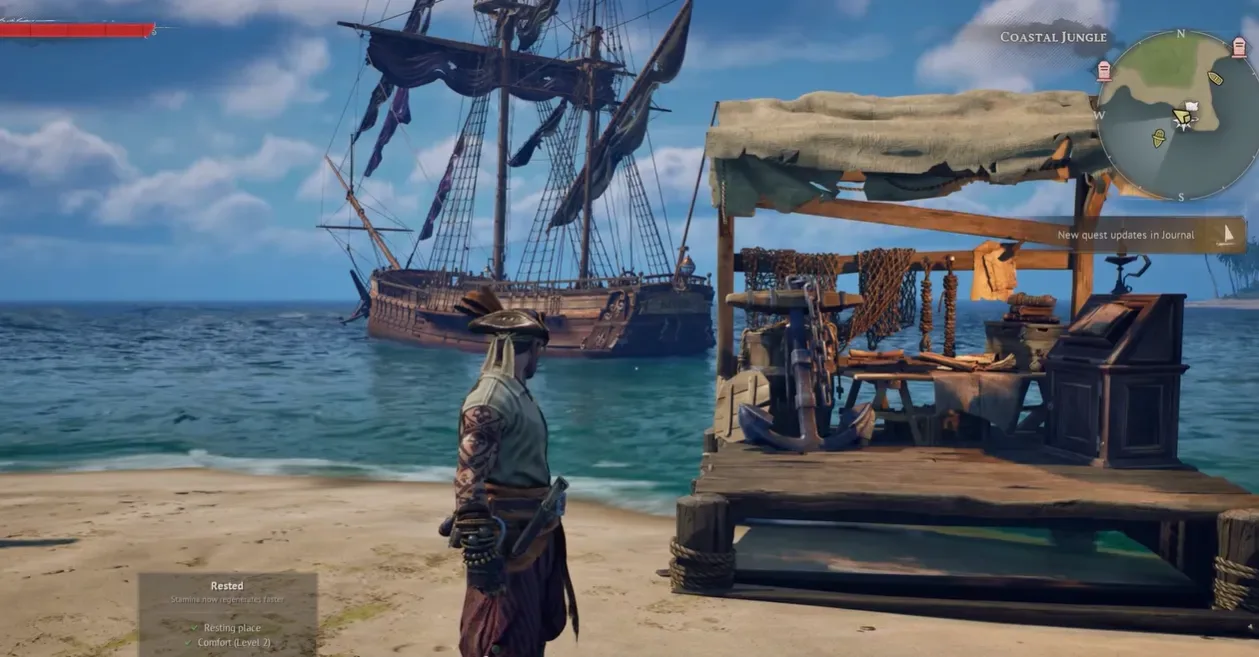
If you just built your first Ketch, received a quest to sink three enemy ships, and are currently sailing to Tortuga hoping to find an NPC to install your cannons—turn around immediately. You are wasting your time. In Windrose, you do not visit an NPC shipyard to arm your vessel. The Wharf is a player-constructed utility building that you must place on the coastline of your own base. You cannot build it until you push the main storyline past the "I Need A Bigger Boat" quest. Once placed, this single table becomes your absolute hub for dragging and dropping cannons onto your ship, customizing sails, and eventually spending Piastre to construct massive Frigates. Just remember the golden rule: The Wharf is for EQUIPPING gear; you cannot upgrade the stats of your cannons here.
How to Unlock & Build the Wharf
Many new players open their Build menu (B), check the Utilities tab next to the Fast Travel Bell, and see absolutely nothing. This is because the Wharf schematic is hard-locked behind the early-game progression.
The Quest Prerequisites: You must complete the following Main Quests before the game trusts you with naval infrastructure:
- Rescuing The Crew
- I Need A Bigger Boat
- How My Sea Adventure Began (Specifically, you must progress this until you are explicitly tasked to "Craft 12-pounder cannons for your ship").
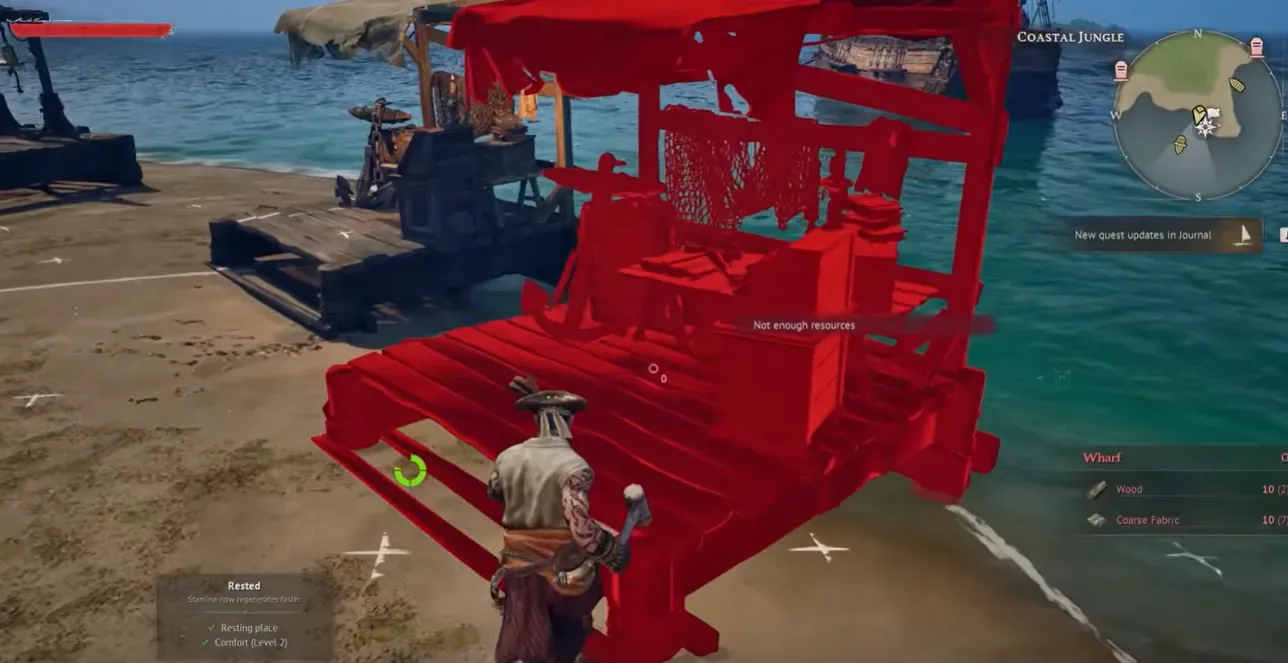
Once unlocked, the construction is laughably cheap, but placement is strict. Like the Fast Travel Bell, it must be built along the coastline, near the water. You cannot build this in the middle of a forest base.
Cost: 10x Wood, 10x Coarse Fabric.
Equipping Cannons: The Drag-and-Drop Mechanic
This is where 90% of the confusion happens. Having 12-pounder cannons in your character's backpack does not magically make them appear on your ship's broadside.
The "Equip vs. Upgrade" Reality Check:
If you interact with the Wharf table (press E), then navigate to the "Ship Selection" menu. Hit 'Manage Ship'. This opens the Cargo and Gear UI. Here, you physically drag your Cannons, Hull Bracing, and Naval Tactics from your inventory into the 'Ship Gear' slots.
However, if you want to make your 12lb cannons hit harder, the Wharf is useless. The Wharf only mounts the hardware. To actually upgrade the tier/damage of Ship Gear, you must take the items out of the ship and process them at a completely different base station: the Shipwright's Workshop.
| Base Station | Core Naval Function |
| The Wharf | Equip/Unequip Cannons & Hull Gear, Customize Sails, Build New Ships. |
| Shipwright's Workshop | Craft Cannons/Hull Bracing from raw materials, Upgrade Gear Tiers. |
Customization & The Shipyard
The Wharf isn't just for guns. It contains two other vital tabs for your fleet progression:
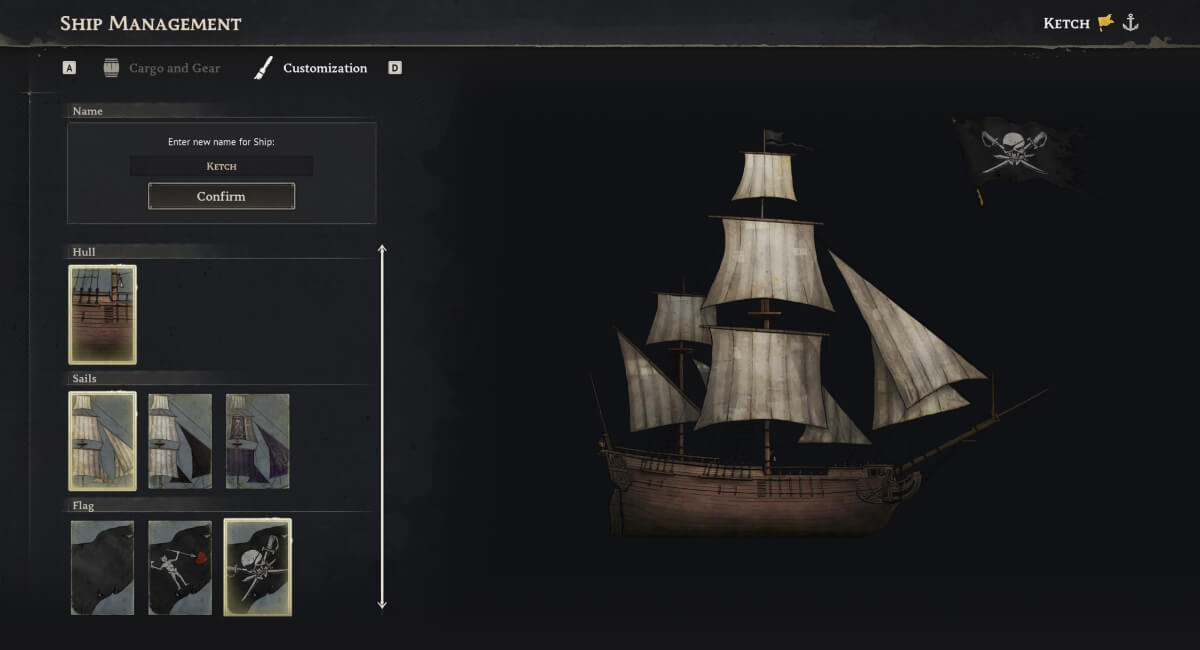
- Customization (Cosmetics): Located near the 'Cargo and Gear' tab. This is where you flex your pirate identity. You can change your ship's sails, flags, and alter the vessel's name.
- Shipyard (Progression): This is the second main menu at the Wharf. As you grind Reputation with the four main Factions (like the Brethren Of The Coast), this tab is where you will physically spend your Piastre and massive piles of resources to construct Brigs and Frigates. (Check our comprehensive Windrose Ships Guide for exact Frigate material costs).
FAQ: Wharf Troubleshooting
Q: I built the Wharf, but it says my ship is "Out of Range" to manage. Why?
A: You can only manage the gear of ships that are physically docked near the Wharf's radius. If you parked your ship on the other side of the island, you must sail it back or use the Recall function (at the Fast Travel Bell or Wharf) to summon it to your current location before the 'Manage Ship' button will activate.
Q: Can I build multiple Wharfs on different islands?
A: Yes. Because the crafting cost is incredibly cheap (10 Wood, 10 Coarse Fabric), it is highly recommended to drop a Wharf at any major outpost you construct across the map. This prevents you from having to sail all the way back to your starter base just to swap out a broken cannon.
Q: I bought a ship blueprint, but it's not showing up in the Shipyard tab.
A: Check your inventory. When you buy blueprints from a Faction Provisioner, they usually exist as a consumable item in your bag. You must right-click to "learn" or "read" the schematic first before the Shipyard UI registers that you have unlocked the vessel.